Research study
Taking part in the CityLens study
CityLens is a research prototype: a phone app that shows you useful information about where you are and what you are doing. We are exploring your experience of using this type of app, and asking for your feedback on how such an app should behave: when it can show information, how it can get your attention, and what information you are comfortable sharing while it learns your patterns and preferences.
Researchers: Dr. M. Karam and Dr. R. Henrikson, The Inventors Nest.
Sign up to take part Already have a code? Start here
Your code: ______ The researchers assign it to you, and it is your ID for the whole study.
Adds "CityLens study" to your home screen. It works with or without an internet connection.
To keep this on your iPhone: Share → Add to Home Screen.
Your progress
Loading…
The four sections of the study
- Part 1: an online questionnaire
- First, complete an online questionnaire to tell us a little about you, and how you use your phone to get information when you are visiting or moving around a city.
- Second, you will read a series of short, made-up scenarios that show examples of how CityLens can present information, for you to rate.
- Part 2: trials on your phone
- Third, install the CityLens app on your own phone and use it for the trial period while you move around the city, to get information about the weather, transport, activities or food where you are.
- Fourth, at the end of the trial period, you will be asked to complete a short questionnaire about your experience with CityLens.
Taking part in this study is optional. You can stop at any time, without explanation.
Your answers are stored under your code, not your name.
Part 2: installing CityLens on your phone
Getting started (5 minutes)
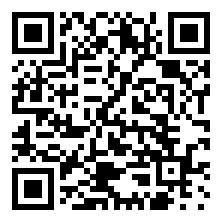
- Open apps.theinvestorsnest.com/citylens/:
- Android: in Chrome, as a normal page.
- iPhone: in Safari, then Share → Add to Home Screen, and open it from there.
- Tap You (bottom right) → Join the study…
- Read the consent text (it's below too). CityLens logs what it showed you and what you did with it, never where you are or any personal details.
- Type your code, tick I agree, tap Join. CityLens checks your code with the study server straight away, so joining needs a connection.
Using it
- Open CityLens whenever you're out: on a walk, a commute, or deciding where to eat. It finds where you are when it opens.
- If Now shows Use my location, tap it, and allow location when your phone asks. CityLens can fit what it shows to the moment only when it knows where you are. It never records where you are.
- Now shows a few things near you. If a card isn't useful, tap Not now. Try to use the app as much as you can.
- If you go to a place that CityLens showed you, please open it and tap I ate here.
- Sometimes it asks a couple of extra questions, like How intrusive was that? and Was the timing right? Please try to answer honestly. Negative answers, even "annoying" or "useless", are helpful for this study.
- Over the trial period, CityLens sometimes uses the moment to choose what it shows and how, and sometimes does not. It does not say which time was which. Please look at the app as often as you can, so we can learn more about your experience of using it.
Ending the study
When you are ready to end the study, open You and tap Complete the study on the Study card: it sends what's left and opens a short questionnaire about your days with CityLens. You can keep using CityLens afterwards; nothing more is logged for the study.
Sending your log
- Nothing leaves your phone until you send it.
- You → What would be sent lists the information that will be sent to the study server. It never sends place names, addresses or exact positions.
- Tap Send at the end of each day, or at least once at the end.
- Prefer not to use the network? Send by file saves a file you can give the researchers instead.
Stopping or leaving
You → Stop taking part ends your participation in the study. Anything you already sent stays in the study, and nothing more leaves your phone. CityLens then offers you the last questionnaire, if you would like to tell us about your experience with it.
You → Leave the study and delete my answers deletes your log from your phone, and all your answers from the study server, including your questionnaires. Backup copies are removed within 14 days. You can do this without any explanation. If you've lost your phone, contact the researchers with your code and they'll do it for you.
We keep your consent record and your name, to show what you agreed to and that you left. After 15 January 2027, answers already included in the analysis can't be removed from its results.
If you simply stop using CityLens without leaving, what you already sent is kept, as your consent describes.
Contact
Dr. M. Karam and Dr. R. Henrikson, The Inventors Nest: research@theinventorsnest.com
Questions, or something went wrong? You can also use You → Send feedback in the app.